
Free Alternatives to Adobe Creative Suite That Actually Work
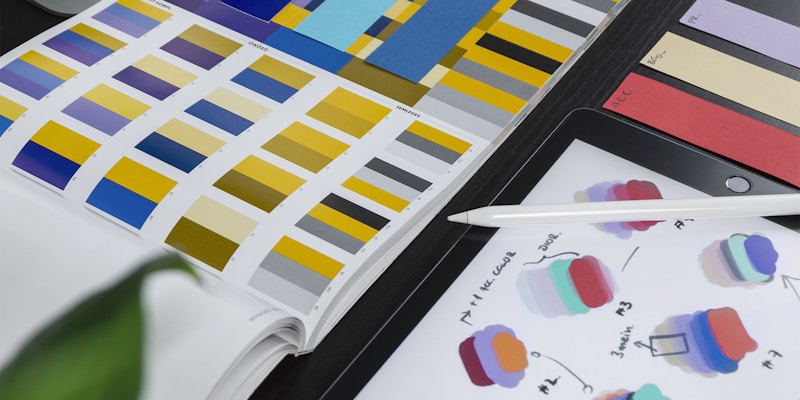
Adobe Creative Suite is the industry standard for a reason. Photoshop, Illustrator, Premiere Pro, and After Effects are incredibly powerful tools. But at roughly $60 per month for the full suite — or $23 per month for a single app — the cost adds up fast. Over a year, you are looking at $276 to $720 just for design software.
For professional designers and video editors who use these tools eight hours a day, that price might be justified. But for freelancers, small business owners, students, and hobbyists, there are free alternatives that cover the vast majority of what you actually need.
The bottom line: You can replace about 90% of what Adobe offers without spending a cent. The trick is knowing which free tool replaces which Adobe product — and being honest about where the gaps are.
Replacing Photoshop: GIMP and Canva
Photoshop is the tool most people think of first when they picture Adobe. It handles photo editing, digital painting, compositing, and graphic design. Replacing it depends on what you actually use it for.

GIMP — For Photo Editing and Manipulation
GIMP (GNU Image Manipulation Program) is the closest free equivalent to Photoshop for pixel-based editing. It supports:
- Layers, masks, and blend modes — the core of any serious editing workflow
- Curves, levels, and color correction — identical output quality to Photoshop
- Clone stamping and healing brushes — for retouching and cleanup work
- Plugin ecosystem — extends functionality for specialized tasks
Where GIMP falls short is in workflow polish. The interface takes some getting used to, and features like non-destructive editing and content-aware fill are either missing or require plugins. If you edit photos occasionally, GIMP handles everything you need. If you process 50 photos a day for client work, you will feel the friction.
Canva — For Graphic Design
Many people use Photoshop not for photo editing but for creating social media graphics, flyers, and marketing materials. For that use case, Canva is actually a better fit than Photoshop, even if money were no object.
Canva's drag-and-drop editor, massive template library, and built-in stock photos make it faster to produce polished designs than starting from scratch in Photoshop. The free plan includes thousands of templates and enough stock assets to cover most needs.
Canva will not replace Photoshop for complex compositing or detailed retouching. But for the "I need a professional-looking Instagram post in 10 minutes" use case, it wins on speed and ease of use.
Replacing Illustrator: Inkscape and Figma
Adobe Illustrator is the go-to for vector graphics — logos, icons, illustrations, and print design. There are two strong free alternatives, depending on your workflow.

Inkscape — For Traditional Vector Work
Inkscape is a free, open-source vector editor that handles SVG files natively. It supports bezier curves, node editing, boolean operations, path effects, and text-on-path. If you create logos, icons, or illustrations, Inkscape has the tools you need. It can also open and edit Illustrator (.ai) files in many cases.
The learning curve is real. Inkscape's interface is not as intuitive as Illustrator's, and performance with very complex files can be sluggish. But the output quality is professional-grade. Plenty of designers have built entire careers using Inkscape exclusively.
Figma — For UI and Digital Design
If your vector work is primarily digital — UI design, web graphics, app interfaces — Figma is the better choice. Figma is browser-based, so it runs on any operating system, and its free plan gives individuals access to the full design toolset:
- Vector editing and pen tools
- Components and design systems
- Auto-layout for responsive design
- Prototyping and interactive previews
- Real-time collaboration
Figma has largely replaced Illustrator in the UI/UX world, even among teams that could afford Adobe. It is not ideal for print design or complex illustrations, but for anything screen-based, it is genuinely best-in-class.
Replacing Premiere Pro: DaVinci Resolve
This is the category where the free alternative arguably beats the paid one.

DaVinci Resolve by Blackmagic Design is a professional video editing application used on Hollywood films, and the free version includes a staggering amount of functionality:
- Full non-linear video editor with multi-track timeline
- Professional color grading — the best in the industry, bar none
- Fairlight audio suite — complete audio post-production
- Fusion visual effects — motion graphics and compositing
- Export up to 4K resolution — no watermarks, no limitations
The paid Studio version ($295, one-time purchase) adds features like 8K export, GPU-accelerated decoding, and some advanced noise reduction. But for most video projects, the free version is more than sufficient. Many professional YouTubers and filmmakers use the free version exclusively.
Heads up: DaVinci Resolve is resource-intensive, especially the color grading and Fusion modules. You need a reasonably modern computer with a dedicated GPU for a smooth experience.
Replacing After Effects: Natron and Blender
After Effects is harder to replace because it sits at the intersection of motion graphics, compositing, and visual effects. There is no single free tool that covers all of it equally well.
Natron is a free, open-source compositing application that handles node-based compositing similar to After Effects or Nuke. It is good for green screen work, rotoscoping, and layered effects, but it lacks After Effects' motion graphics templates and expression system.
Blender, primarily known as a 3D modeling application, has a surprisingly capable motion graphics workflow. Its Grease Pencil tool enables 2D animation, and its compositing nodes can handle many of the effects people use After Effects for. If you are willing to invest time in learning Blender, it can replace a significant portion of After Effects' functionality.
Replacing InDesign and Acrobat
For page layout and print design (InDesign), Scribus is the free alternative. It handles multi-page documents, master pages, and professional print output with CMYK support.
For PDF editing and form creation (Acrobat), tools like LibreOffice Draw can handle basic PDF editing, while Canva now supports multi-page PDF creation for simpler documents.
The Honest Replacement Scorecard
Here is a realistic breakdown of how well free tools replace each Adobe product:
| Adobe Product | Free Alternative | Replacement Level |
|---|---|---|
| Photoshop (graphic design) | Canva | 95% — better for most people |
| Photoshop (photo editing) | GIMP | 80% — covers it well |
| Illustrator (UI/UX) | Figma | 100%+ — has surpassed it |
| Illustrator (print/logos) | Inkscape | 75% — capable but rougher |
| Premiere Pro | DaVinci Resolve | 95% — matches or exceeds |
| After Effects | Natron + Blender | 55% — hardest to fully replace |
What This Saves You
For most people, the free alternatives listed above will handle everything they need. The money you save — potentially $720 per year — can go toward hardware, stock assets, or growing your business.
Start with the free options, and only subscribe to Adobe if you hit a specific limitation that genuinely blocks your work. You might be surprised how far these tools take you.
Tools Mentioned in This Article
Editor & Lead Reviewer
Alex has spent over a decade testing software and writing about technology. After years of frustration with misleading 'free tool' lists, Alex co-founded Totally Free Tools to build a directory people can actually trust. Alex personally reviews every tool before it goes live.